


FAQ
Weak flow
Reason:
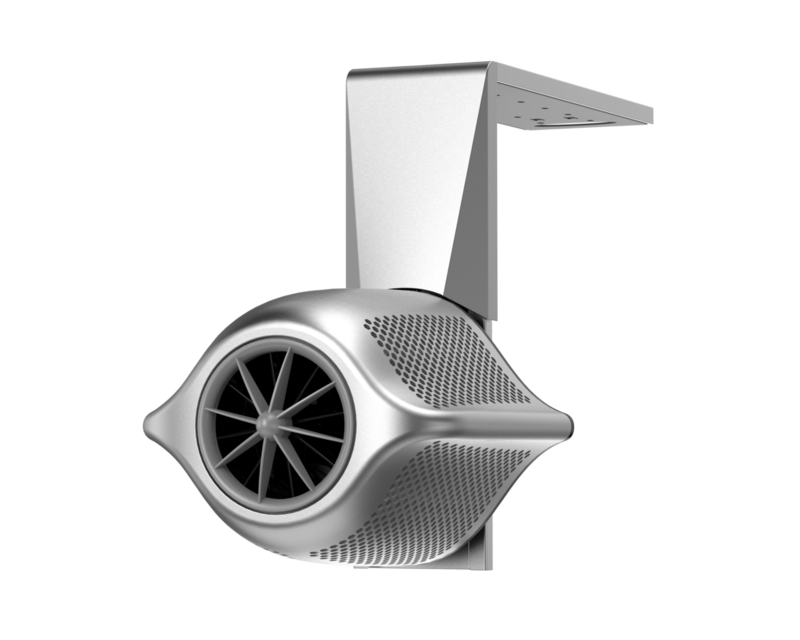
• The Jet is not parallel to the water surface
• Motor doesn’t work Solution:
• Check that the screw feet are installed correctly
• If the motor does not work properly, please contact your dealer.
What to do if the noise is too loud?
Reason:The Jet is not fully submerged in water
Solution: Make sure the Jet is fully submerged in water
What should I do if RCD / GFCI is tripping?
Please follow these troubleshooting steps first:
A. For users in North America If a GFCI trips occasionally, it may be due to moisture from a nearby pool affecting the circuit breaker, or it may be due to dust particles carrying an electrical charge. You can usually reset the circuit by pressing the “Reset”button, and it will work normally after restoration.
B. For users in Australia & Europe If the RCD switch trips occasionally, it also may be due to moisture from a nearby pool affecting the socket, or it may be due to some dust particles that carry an electrical charge. You can usually reset the corresponding circuit by pressing the “Reset”button and it will work again. If the device continues to trip at the same outlet, it is recommended to try connecting the RCD plug to another socket that meets the Swim Jet P's electrical requirements.
If the problem continues, please arrange for a professional technician to inspect on-site, or contact iGarden Customer Support and provide: Your order number or SN number
What should I do if my Swim Jet P remote control cannot connect?
Please follow these troubleshooting steps first:
Verify that the Control Box's Bluetooth is activated or reset already first, while ensuring the remote control's Bluetooth is also enabled with their Bluetooth icons displaying a “steady light”. If pairing does not work automatically, press and hold the Mode button + Timer button on the Remote Control for 2s to re-enter pairing mode.
Check if a second remote control is active simultaneously. If so, turn off the other Remote Control before attempting connection.
Verify the Remote Control has sufficient battery level and has not been exposed to water. If the remote has previously been submerged in water, contact the iGarden Customer Support Team timely.
If the issue continues, please contact iGarden Customer Support and provide:
A brief description of the troubleshooting steps you have already tried.
Photos or videos showing the issue.
Your order number or SN number.
What should I do if my Swim Jet P doesn't power on when the power switch is turned to "ON"?
Please follow these troubleshooting steps first:
Check if the GFCI is tripped → If yes, press the "Reset" button to see if the system will get the power again.
Check if the three power-supply cables (UVW motor cables) are stably connected to both the jet unit and the control box
If the issue continues, please contact iGarden Customer Support and provide:
A brief description of the troubleshooting steps you have already tried.
Photos or videos showing the issue.
Your order number or SN number.
What should I do if the App disconnects from my Swim Jet P?
Please follow these troubleshooting step first:
Please try rebooting the control box and hold simultaneously the Timer Button + Speed Button for about 2 seconds to reset the WiFi connection. If your router signal is weak, you can also use a 2.4GHz hotspot from another phone to pair again.
If the issue continues, please contact iGarden Customer Support and provide:
A brief description of the troubleshooting steps you have already tried.
Photos or videos showing the issue.
Your order number or SN number.
What should I do if the display of my Swim Jet P fails to light up?
Please follow these troubleshooting steps first:
Check whether the power supply is good, and make sure the whole system is turned on.
Click the buttons of Touch Panel to see whether they light up, if the system can be powered on and the remote control operates normally, but the screen still doesn't light up, we suggest restarting the entire system first.
If the issue continues, please contact iGarden Customer Support and provide:
A brief description of the troubleshooting steps you have already tried.
Photos or videos showing the issue.
Your order number or SN number.
What should I do if my Swim Jet P shows an error code?
E001-DC Bus Voltage Abnormal: Disconnect power and check if the power plug is loose.
E002-Output Overcurrent Fault: need a replacement
E003-Output Current Imbalance: need a replacement
E004-Output Short Circuit: need a replacement
E005-Output Phase Loss-Disconnect power: need a replacement
E006-Motor Stall: Inspect the motor for objects and remove any obstructions.
E007-Motor Dry-Run Protection: Ensure the motor is fully submerged. Installation depth should be 250-350mm (9.8"-13.8") from water surface to unit center.
E101-MOS Overtemperature: need a replacement
E102-Chassis Overtemperature: Disconnect power and ensure adequate ventilation.
E201-Temperature Sensor Fault: need a replacement
E202-Motor Drive Fault: need a replacement
E203-Drive Board Communication Fault: need a replacement
If the issue continues, please contact iGarden Customer Support and provide:
A brief description of the troubleshooting steps you have already tried.
Photos or videos showing the issue.
Your order number or SN number.